Share an event
Invite another performer to tonight's event with a QR code, the join code, or your phone's share sheet.
Sitting with friends who want to get on the lineup too? You can share the event straight from your phone — no need to walk them over to the venue’s screen.
Open the share sheet
On the event home, tap the share icon in the top corner.
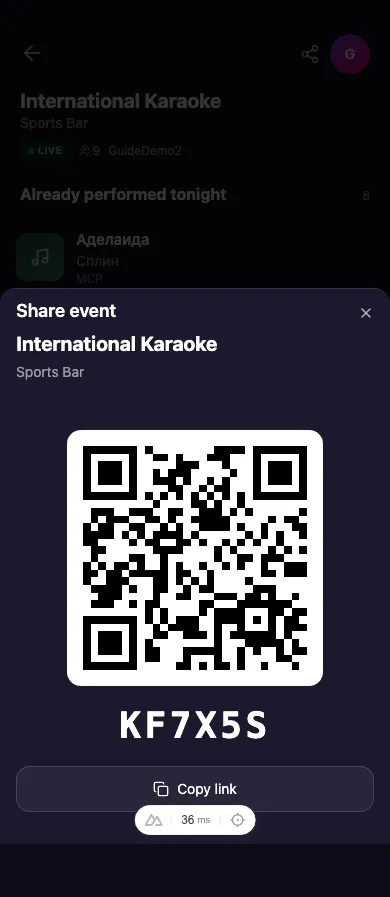
Three ways to share
- Show the QR code. Have the other person scan the QR code on your screen with their camera — it takes them straight to the event.
- Read out the join code. The large code shown here is the same one displayed at the venue. They can type it into k5e Spot to join.
- Send a link. Tap Copy link to copy the event link, or use your phone’s share button to send it by message, chat, or any app.
Everyone who joins lands in the same lineup, so you can all take turns through the night.