Manage your queue
See where you are in the lineup, reorder your own songs, and remove ones you've changed your mind about.
Open the Queue to follow the night and manage your own requests.
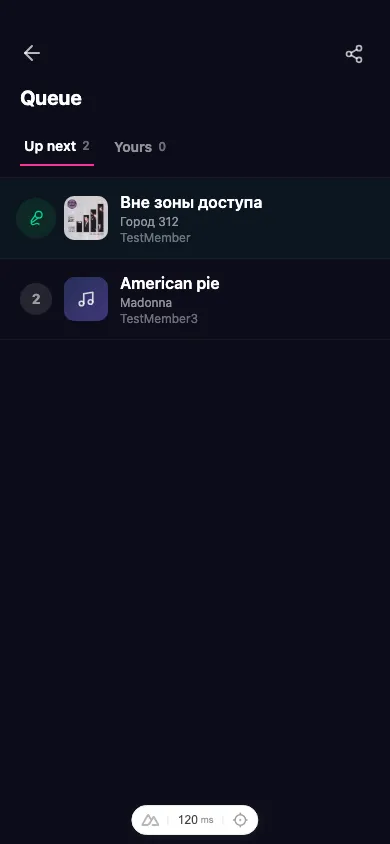
Up next vs. Yours
- Up next shows the whole lineup in play order, with the song that’s playing now at the top and a number for each one waiting.
- Yours shows only the songs you’ve requested, so you can see at a glance how many you have in and where they sit.
See your position
Each waiting song has a position number. The host decides the exact running order, so your spot can shift as people join, drop out, or the night rolls on.
Reorder your songs
If you have more than one song in, you can change which of your songs comes first. Use the up and down controls on a song under the Yours tab to swap it with your other slots. This rearranges your own picks — it doesn’t change the overall lineup positions.
The song that’s currently up next is locked and can’t be reordered.
Remove a song
Changed your mind? Tap Remove on one of your pending songs and confirm. It leaves the queue right away, freeing up a slot for a new request.