Create an account
Set up your k5e Spot account so your performance history follows you from event to event.
You’ll need a free account to join an event. It keeps your stage name, song history, and saved spots with you everywhere you go, and only takes a moment to set up.
Open the sign-up screen
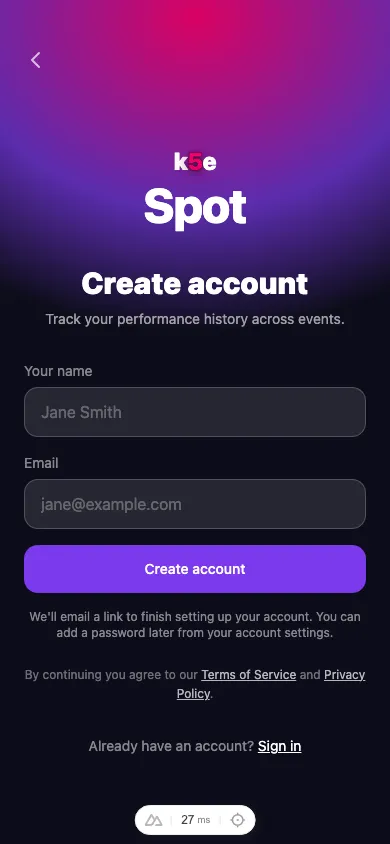
From the k5e Spot home screen tap Create account. You’ll see two ways to sign up: continue with Google, or sign up with your email.
Sign up with Google
Tap Continue with Google and pick the account you want to use. That’s it — you’re signed in straight away, with nothing else to confirm.
Sign up with email
- Enter your name — this is the stage name other performers and the host will see.
- Enter your email address.
- Tap Create account.
We’ll email you a link to finish setting up your account. You can add a password later from your account settings if you’d like a second way to sign in.
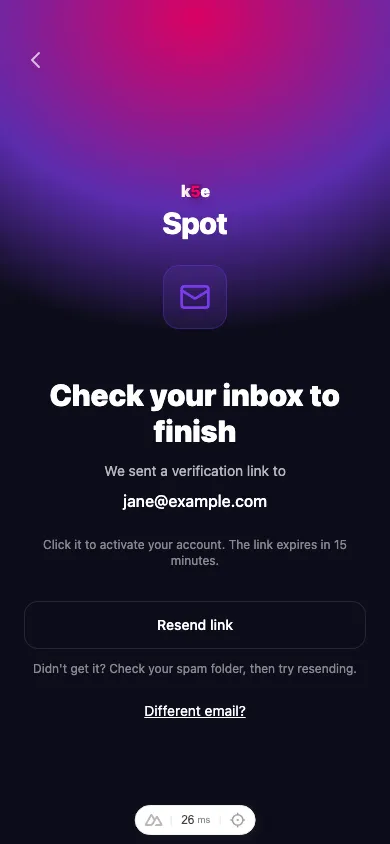
Open your inbox and tap the link to activate your account. The link expires after a short while — if it runs out, just request a new one.