Join an event
Get into tonight's lineup with a join code or by scanning the venue's QR code.
Every k5e event has a short join code and a matching QR code, usually shown on the venue’s screen or on a card at the host’s table. Either one gets you in.
Join with a QR code
Point your phone’s camera at the event’s QR code and tap the link that pops up. k5e Spot opens straight to the event. If your camera doesn’t recognise it, open k5e Spot and use the in-app scanner from the join screen.
Join with a code
- Open k5e Spot.
- Enter the event’s join code (for example
ABC123). - You’ll land on the event’s page.
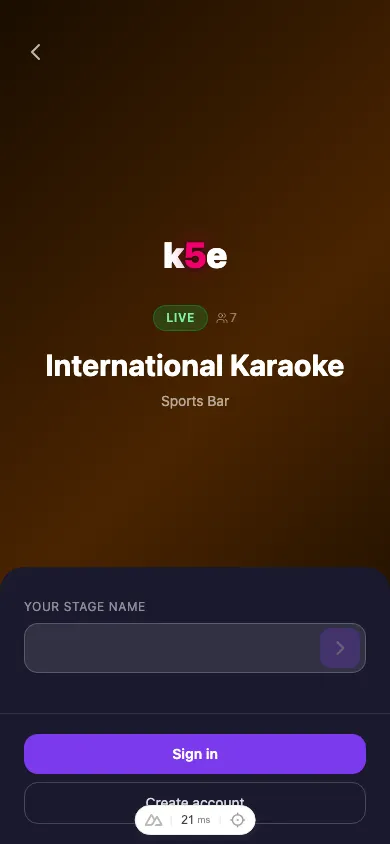
Enter your stage name
Your account name is filled in to start — edit it to whatever you want on the lineup (this is what the host announces and other performers see), then tap the arrow to join.
You’re in
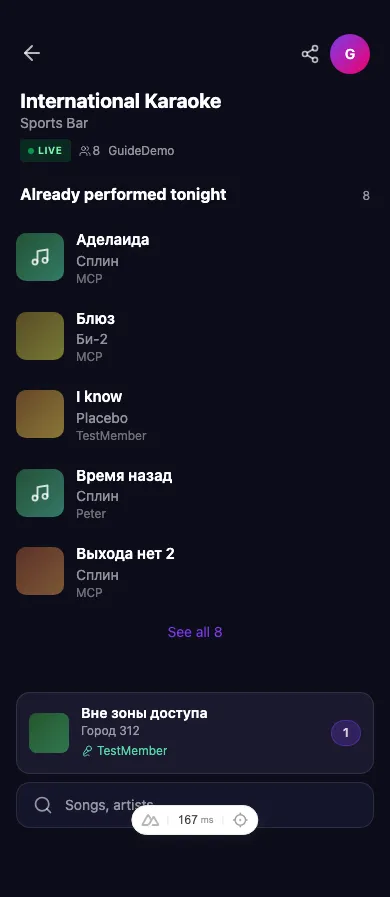
Once you’ve joined you’ll see the event home: what’s playing, who’s up next, and a search bar to request your song.